

Your spec packages, schedules, proposals, and budgets are what your clients, contractors, and vendors rely on. They carry your studio’s name, so they should look like your studio’s brand.
Gather helps busy interior design firms manage complex FF&E projects, from first estimate to final install. You build the budget, specify every detail, and issue spec packages, then create orders and track shipments. Exports are how all of that work reaches everyone else on the project.
Today, Gather’s exports get a major upgrade. Spec packages, schedules, proposals, and budgets are now more polished and far more customizable, so they look like your studio.
And now you can see every page exactly as it will print, before you export.
Design the perfect document before exporting it
Open an export and Gather instantly shows you a live preview of the document right beside your settings. Change the document’s look and the information you want on it, and the preview updates in real time. Page through the whole document and zoom in on the details, so you catch anything that needs fixing before it leaves your studio.
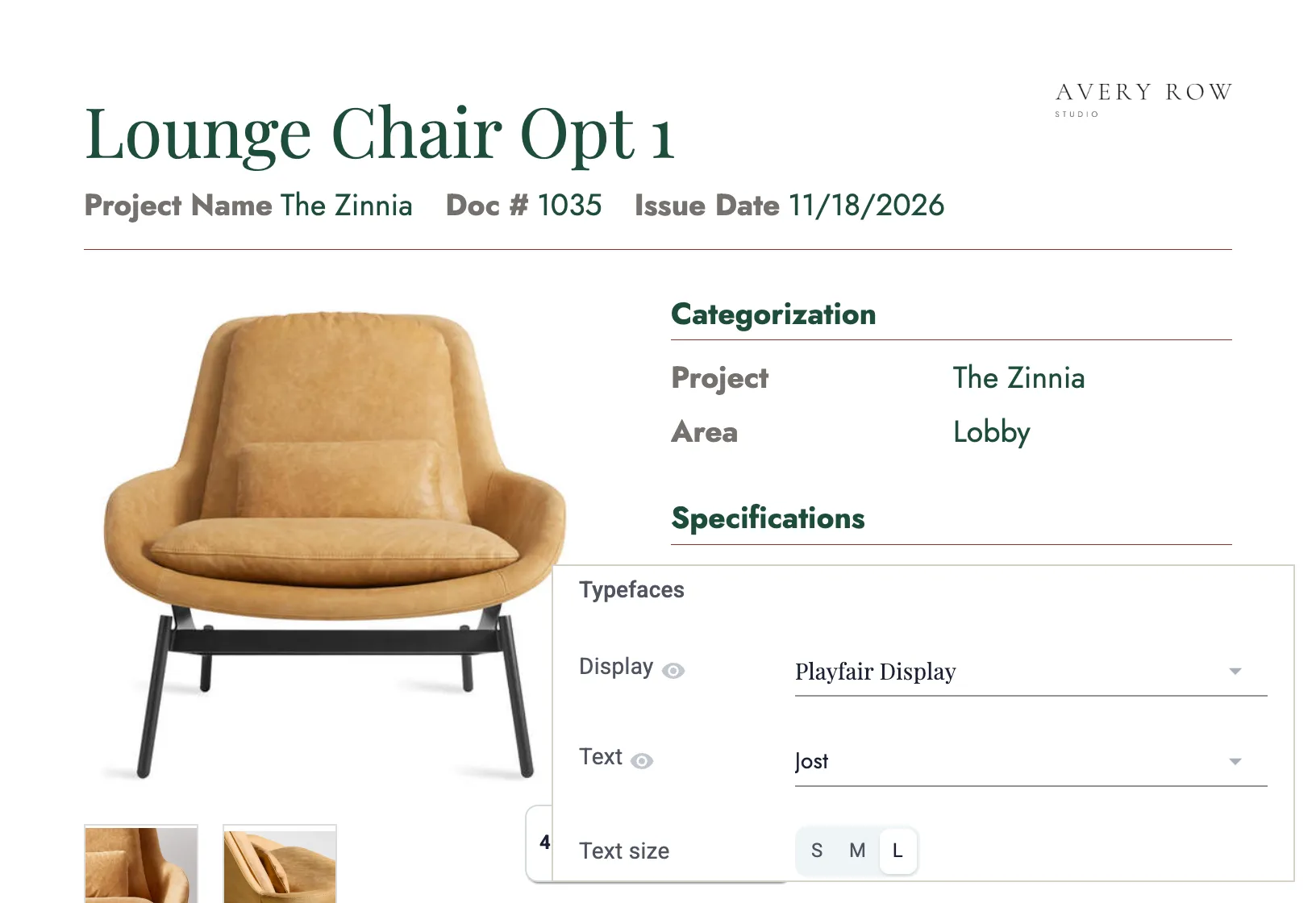
The live preview works across all your exports, including spec packages, lists, spec sheets, purchase orders, reports, schedules, and your project’s budget reports.
Settings live in two tabs. Content controls what goes into the export, and Style controls how it looks. Each tab is organized into sections you can open and close, so the setting you need is easy to find. When you have it dialed in, save it as a preset and export the next document with the click of a button.
Style it any way you want
The new Style tab puts your firm’s look on every export.
Start from a template. Gather includes six built-in looks to start with. Adjust one to match your brand, save it as your own template, and use it on every project.
Or, start from scratch and craft it just the way you want.
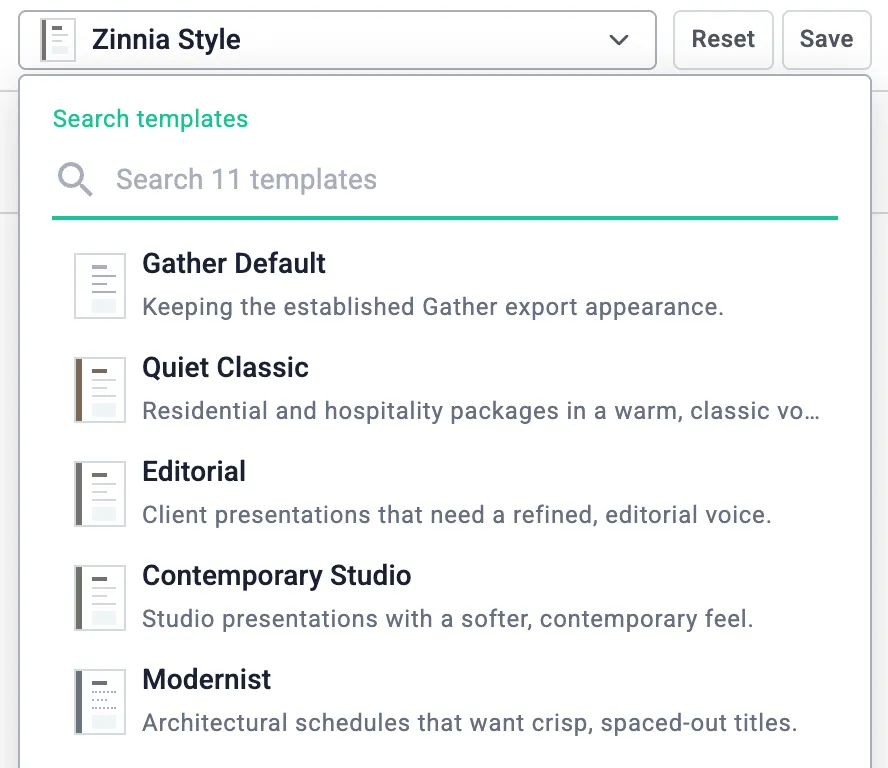
Then make the details yours. Choose typefaces from a large font library, set the text size, and define the color palette. Fine-tune the text styles for each part of the document, from the cover page to item sheets and footers, and choose a line style for the rules between sections.
Size your logo and images. In spec packages, set how large each item’s primary image appears. You can even add a watermark if it’s a sensitive document.
Live links let you send and share
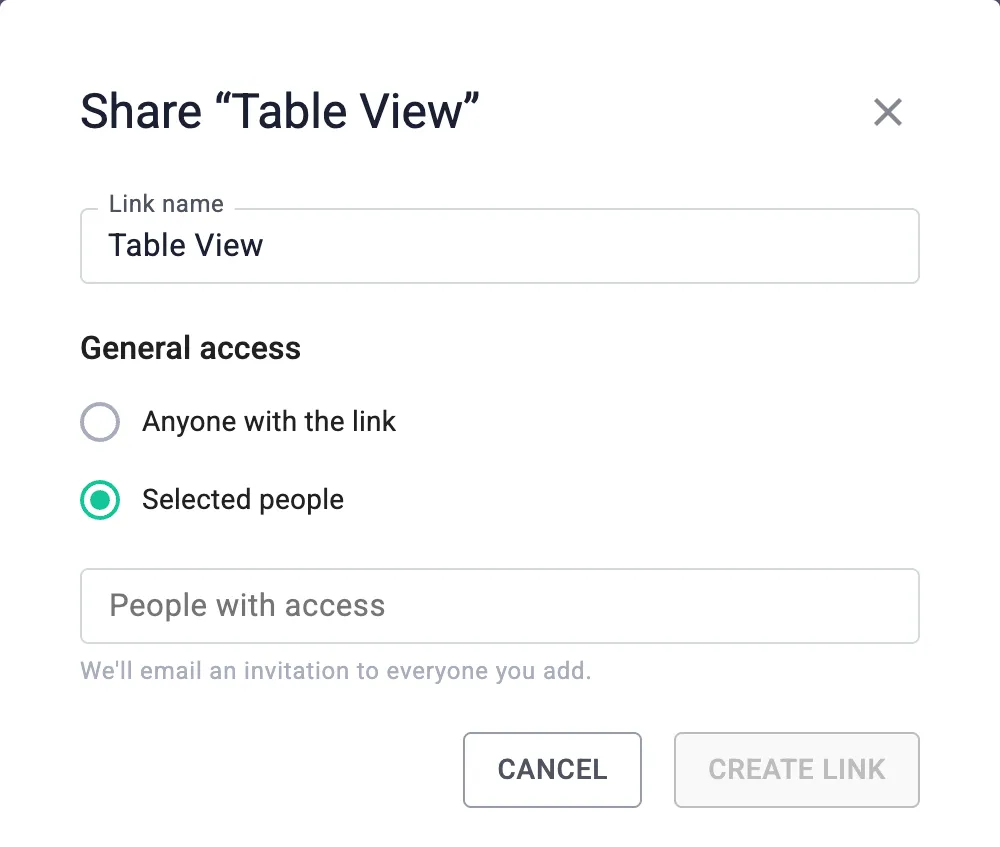
Send a link instead of a file. Click Share in the export editor, name the link, and choose who can open it: anyone with the link, or only the people you select.
Selected people get an email invitation with a 4-digit access code, and they don’t need a Gather account to view the document.
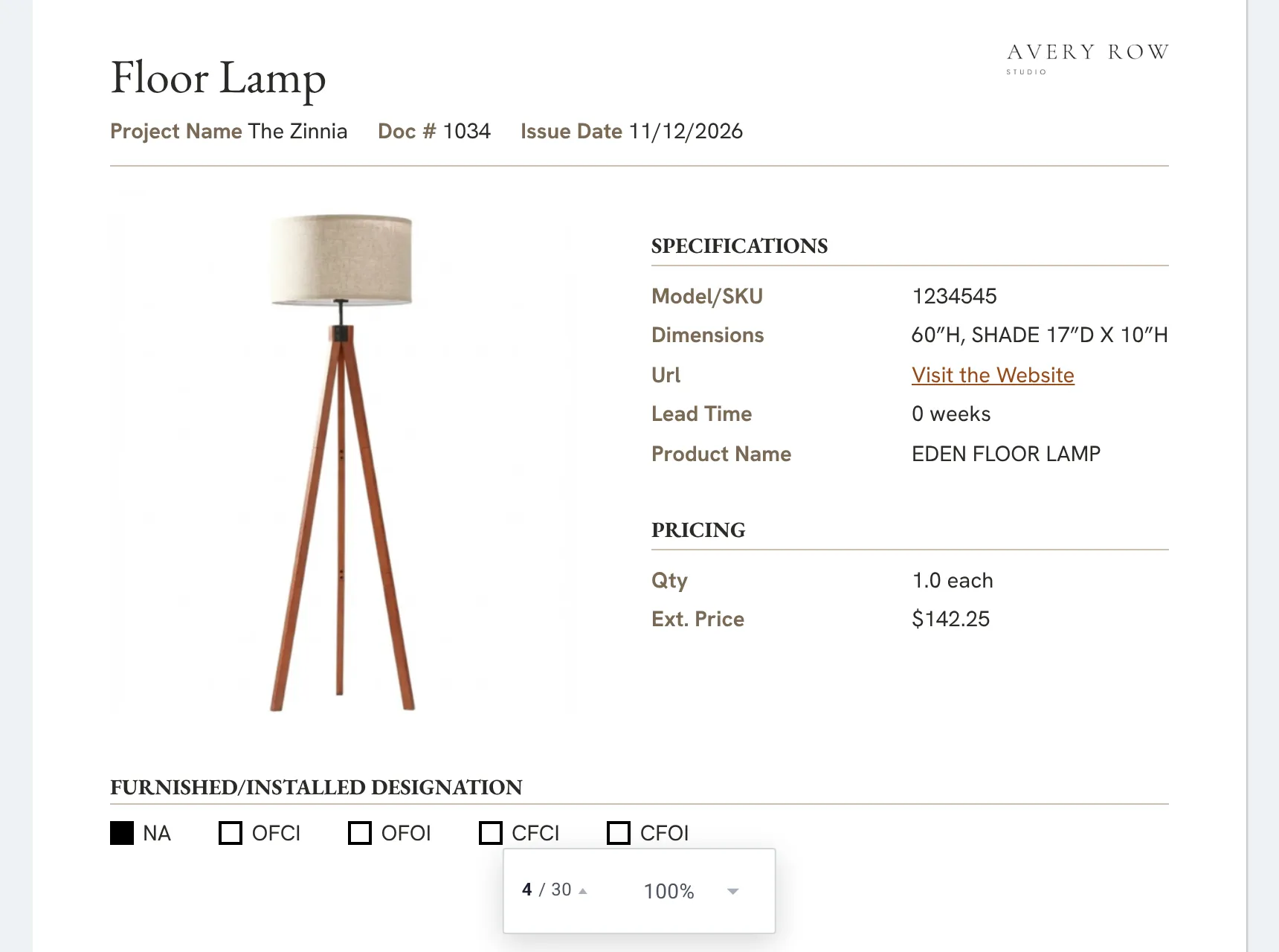
Your client or contractor opens a branded, print-ready view of the document in their browser, ready to review.
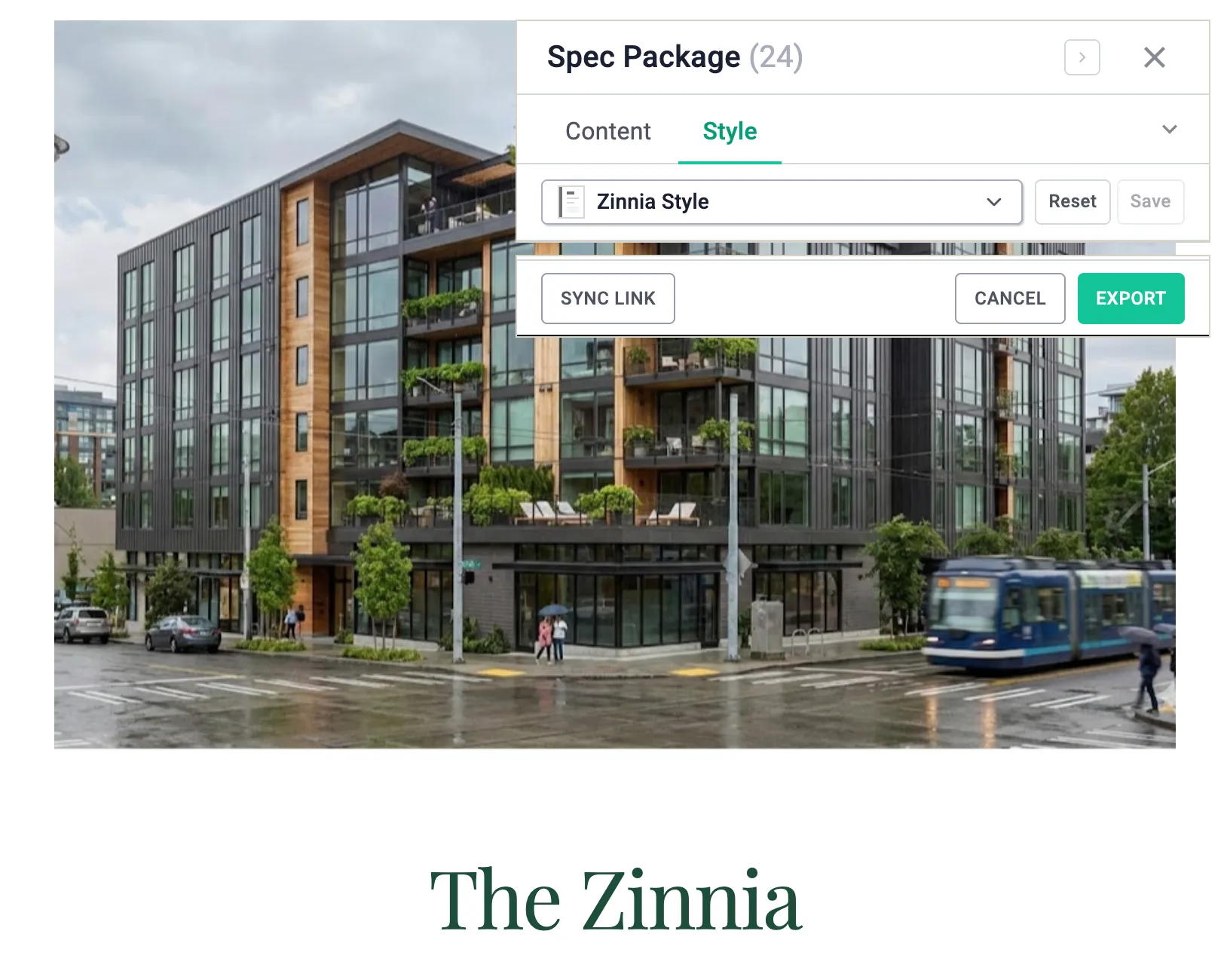
When your specs change, there’s no need to export and send the document again. Open the link’s preview, make your changes, and click Sync link. The same link now shows the latest version, and everyone keeps the access they had.
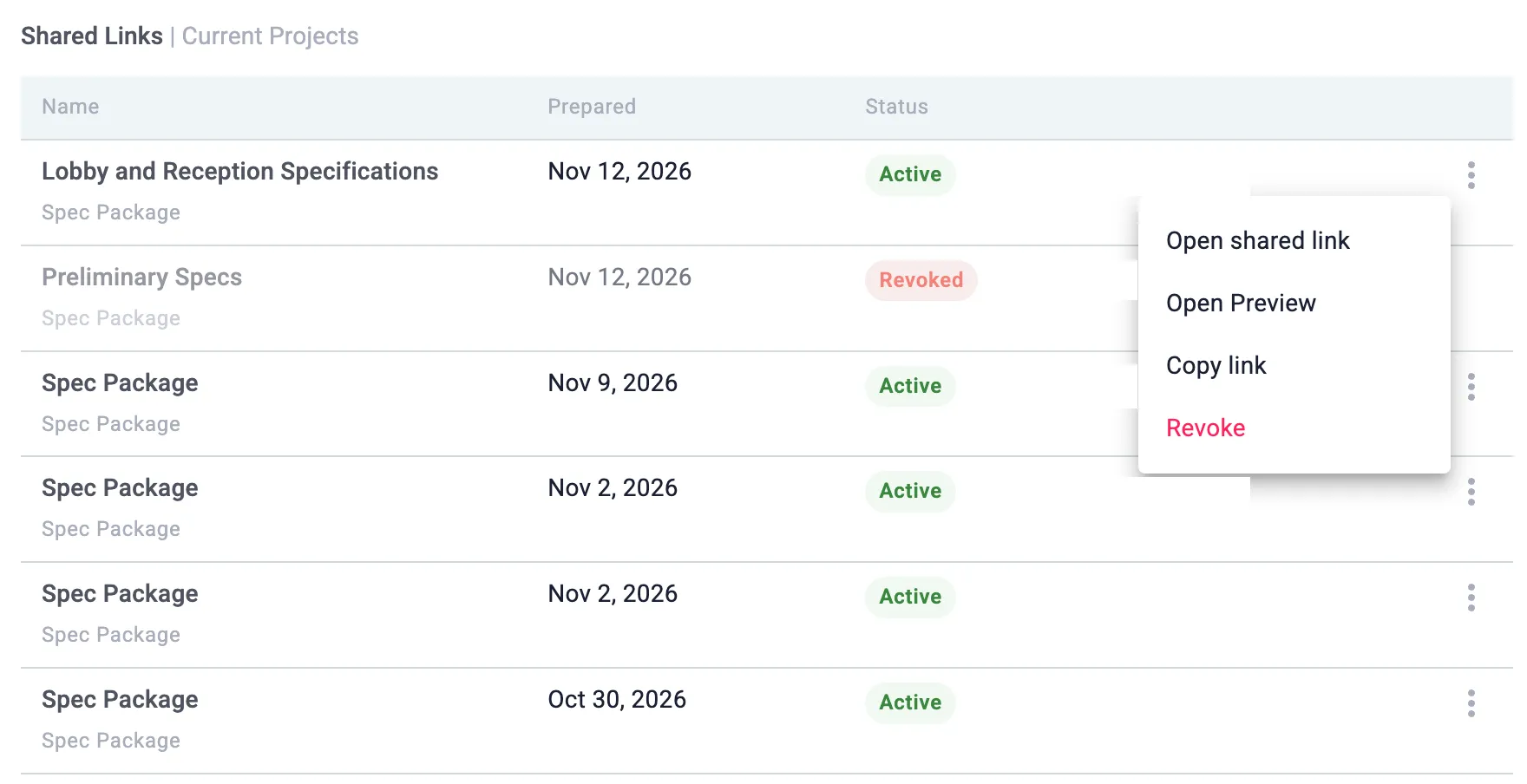
Every link you create is listed under Shared links in the project’s files, with the date it was prepared and whether it is still active. Copy a link, open it, or revoke access at any time.
New export: Table View
Table View is a new export: a clean table layout of your items, with images, dimensions, pricing, and every other detail you choose. It prints on 11 × 17 tabloid landscape, so a long schedule stays easy to read.
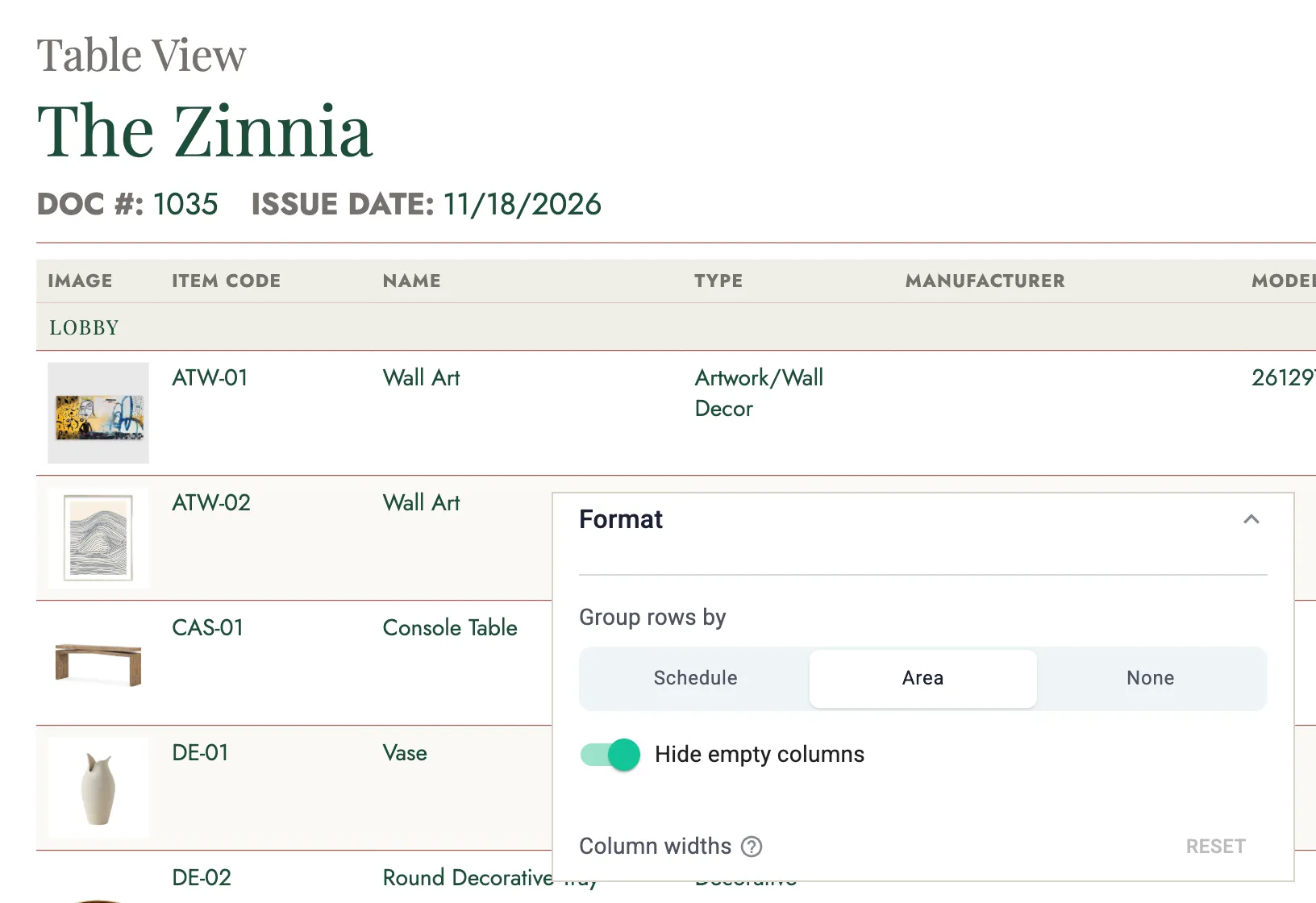
Group rows by schedule or by area, or list them all together. Choose your columns from item details, categorization, specifications, pricing, status, and notes, and show each one as its own column or inline with the item. Drag to set column widths, and hide any column that would print empty.
In the Style tab, set the row rules, a plain or filled header band, comfortable or compact row spacing, header and row colors, and alternate row shading. Add a cover page, and choose what appears in the page header and footer, from the document number and issue date to your logo, company details, and page numbers.
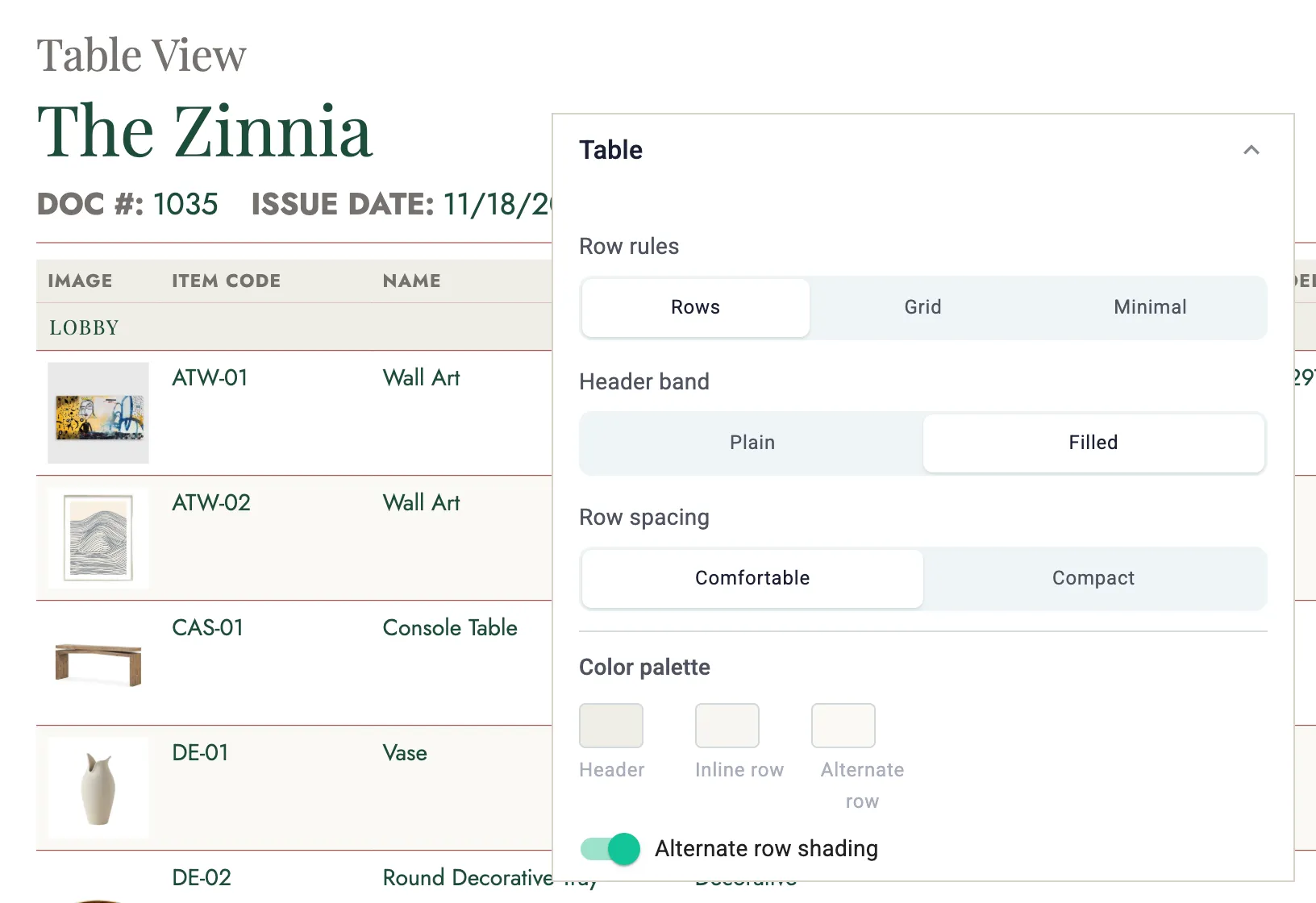
Table View works with everything above. Preview it live, style it with your template, and share it as a link.
Want to see the exports in action?
Book a 30-minute demo, and we’ll show you how design firms build, style, and share spec packages and schedules in Gather. After your demo, you can start a free trial.