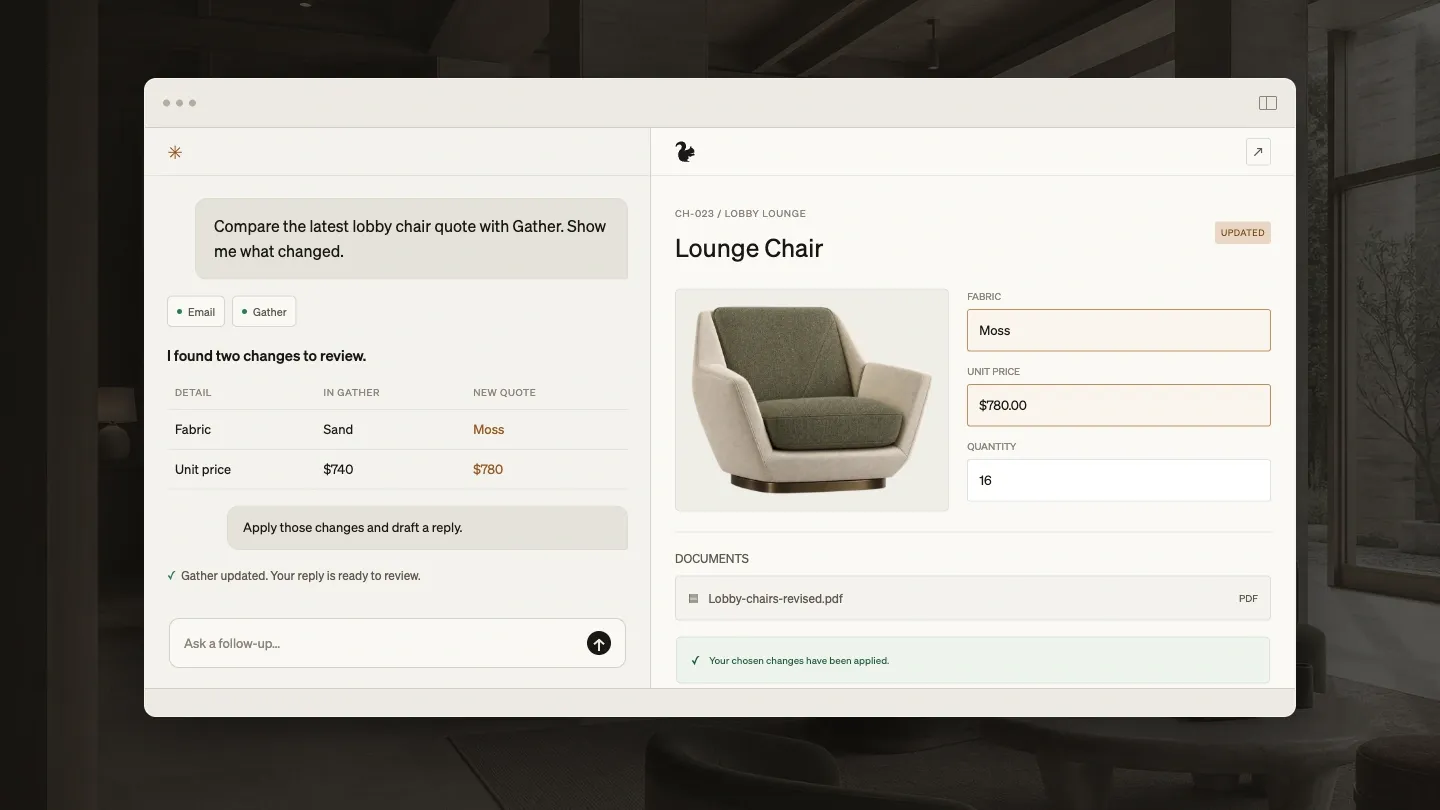


Choosing FF&E specification software shapes how your team documents selections, issues spec packages, and hands work off to purchasing. The options have changed since our last edition. DesignSpec and Lojik now belong to Design Manager, Studio Designer has joined forces with Mydoma, and Specsources and Programa have become common names on shortlists.
This guide compares the products interior design and architecture teams most often evaluate in 2026. Every product here is capable. The right choice depends on the kind of projects you run, who on your team will use it every day, and the one or two requirements your firm cannot do without.
We make Gather, so read our section with that in mind. For every other product, we describe what its own website says and link to its pricing page so you can check the current terms.
What is FF&E specification software?
FF&E specification software is where an interior design team records the furniture, fixtures, and equipment for a project in detail: each product, its finishes and dimensions, quantities by area, pricing, and lead times. It turns those selections into specification schedules and spec packages that clients approve and that contractors and vendors work from, and it keeps a record of every revision.
A spreadsheet can hold the same information, but the team has to keep every copy, image, and revision in step by hand. In dedicated software each item is recorded once, so a change shows up everywhere that item appears.
FF&E specification software vs. FF&E procurement software
Specification software documents what the design calls for. FF&E procurement software handles buying it: purchase orders, vendor acknowledgments, payments, shipments, and delivery. Some firms specify in one tool and hand off to a purchasing team or partner. Others want both in one system so they can compare order costs with the budget. If your firm buys on behalf of clients, check the purchase orders column in the comparison below.
How to speed up FF&E specification
Most of the time in FF&E specification goes into entering product details by hand and updating documents after every change. The biggest gains come from:
- Saving products from vendor websites with their images, prices, and details instead of retyping them
- Reusing products and specification fields from past projects through a shared firm library
- Producing schedules and spec packages from the specification itself, so there is no second document to update
- Issuing revisions from the same system, so everyone can see what changed
What to consider before you compare
Start with your firm’s needs, not a feature list. These questions narrow the field quickly.
Your team and workflow
- How many people need access, and who will maintain the specs day to day?
- Will clients, consultants, or contractors need to review or approve selections?
- How important is it that designers, not only a dedicated spec writer, can use the system?
Your projects
- What kinds of projects do you run: commercial, hospitality, multifamily, or high-end residential?
- How detailed are your specifications, and how often do you issue revisions?
- Do you need budgets that follow your selections, or purchase orders and shipment tracking?
Your other tools
- Does it need to connect to Revit, your accounting system, or your own reports?
- Can it connect to the AI assistants your team already uses, like ChatGPT or Claude?
- Do you need to brand and customize the documents you send to clients and contractors?
Your business
- Do you need one tool for specifications, or a system that also runs invoicing, time billing, and accounting?
- How much setup and training can your team absorb?
Quick comparison
| Product | Budgets | Purchase orders | Client approvals | Revit | AI connectors | API | Public pricing |
|---|---|---|---|---|---|---|---|
| Gather | ✓ | ✓ | ✓ | Via AI | ✓ | ✓ | ✓ |
| DesignSpec | ✓ | ✓ | ✓ | ✓ | ? | ? | ✓ |
| Specsources | ✓ | ✓ | ✓ | ✓ | ? | ? | ✓ |
| Fohlio | ✓ | ✓ | ? | ✓ | ? | ✓ | ✗ |
| Programa | ? | ✓ | ✓ | ? | ? | ? | ✓ |
| Studio Designer | ? | ✓ | ✓ | ? | ? | ? | ✓ |
Based on each vendor’s website in October 2026. ✓ means the vendor lists it, ✗ means it is not offered, and ? means we could not find it on their site, not that it is missing. Some features are only on higher plans; check each pricing page. AI connectors let assistants like ChatGPT and Claude work directly in the software. Gather has no built-in Revit sync; an AI assistant connected to both Gather and Autodesk’s Revit connector can move information between them.
Gather
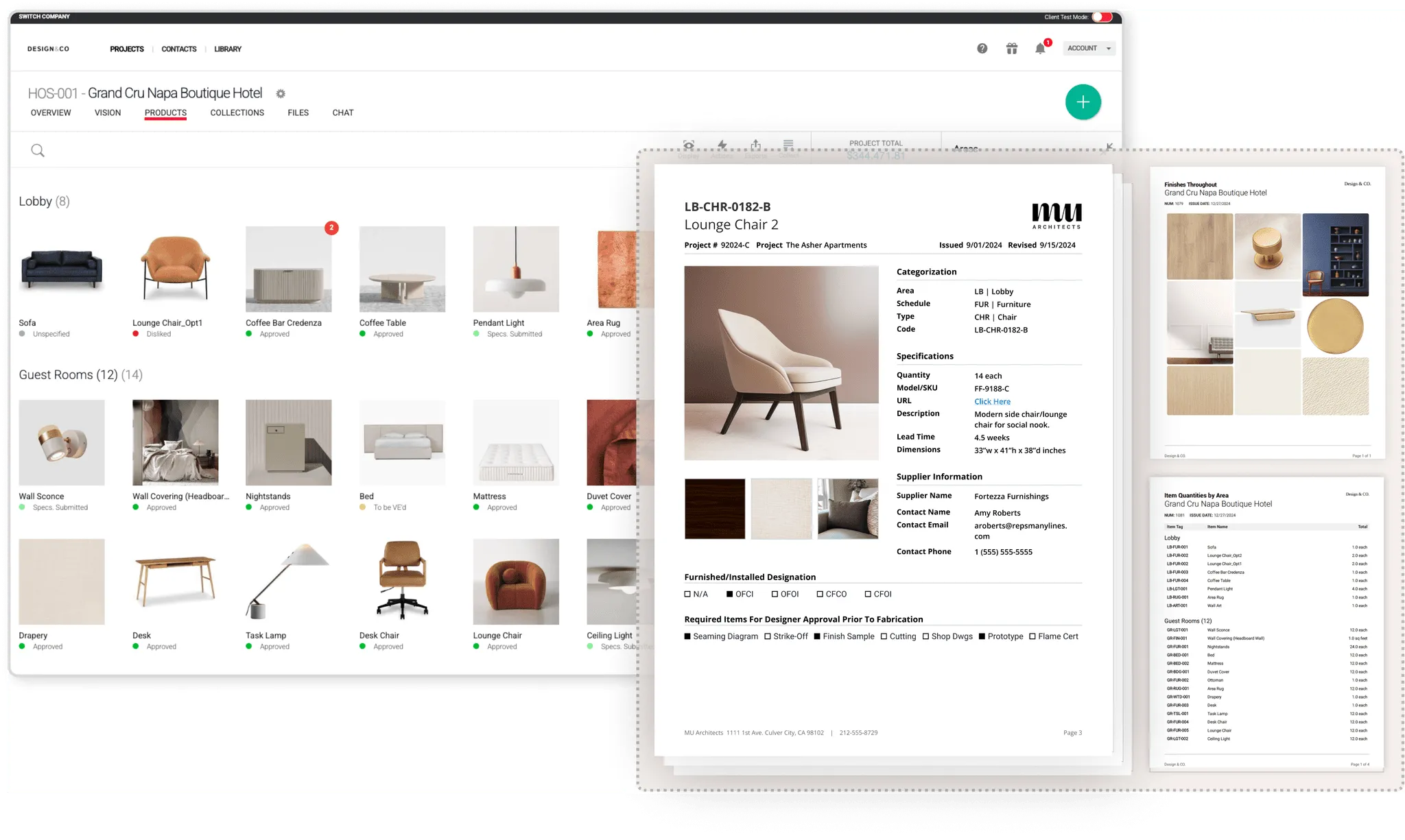
Gather is FF&E specification software for interior design teams whose work involves a lot of detail, coordination, change, and handoff. It follows a project from early allowances through selections, detailed specifications, issued spec packages, and revisions, then into purchase orders and shipments or a handoff to your purchasing process.
Best for
- Interior design and architecture teams running commercial, workplace, multifamily, and complex residential projects
- Firms that want more of the design team, not only a spec writer, working in the specs every day
- Teams that issue spec packages often and need a clear record of what changed
What it covers
- Web Clipper that saves products from vendor sites with images, price, and details
- Custom specification fields, product components, and quantities by area
- Specification schedules and spec packages, with issued versions and revision tracking
- Client collaboration and approvals
- Preliminary Budget, Working Budget, and budget comparisons with order costs
- Purchase orders, PO revisions, shipment and delivery tracking, and payment records
- AI connectors for ChatGPT, Claude, and other AI assistants, so an assistant can look up and update your project details, plus an API for connecting your own systems (see how it works)
Pricing
- From $199 per month including one seat, plus $59 per additional seat
- Budgets, purchase orders, and shipment tracking: $249 per month including one seat, plus $69 per additional seat
- 30% discount on annual billing (see current pricing)
Keep in mind
- No built-in Revit sync. An AI assistant connected to both Gather and Autodesk’s Revit connector (currently in preview) can move information between them, but it is not an automatic link
- Not an accounting, invoicing, or time-billing system; it works alongside the one you keep
- Not built for enterprise brand standards across hundreds of properties
DesignSpec
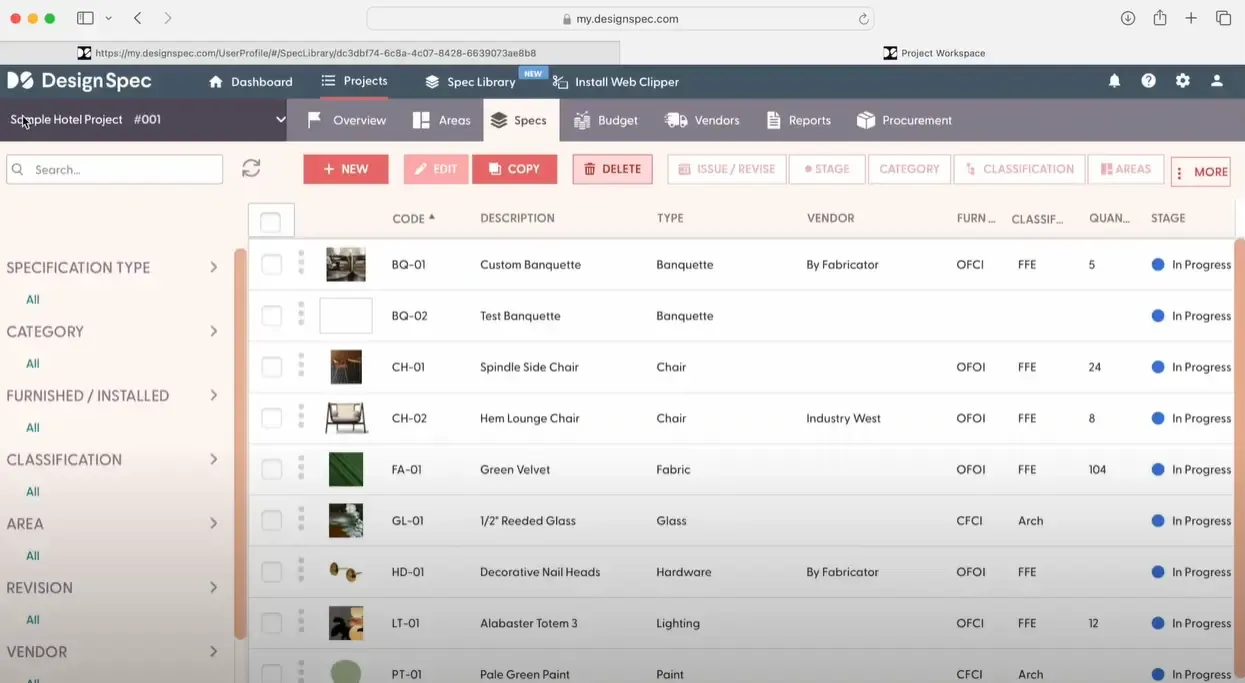
DesignSpec describes itself as spec writing simplified for professional interior design teams, with pages for commercial, hospitality, and residential work. Design Manager acquired DesignSpec and Lojik Design Systems in 2024, so it now sits alongside Design Manager’s accounting and project software.
Best for
- Hospitality and commercial teams with dedicated specification writers
- Firms that need Revit integration, multi-office support, or brand standards templates
- Teams that want QuickBooks Online connected to budgets, invoices, and purchase orders
What it covers
- Specs organized by areas, subareas, and floors, with coding schemes
- Web Clipper, budgeting built from specs, and a client portal for comments and approvals
- Purchase orders, shipment tracking, RFQs, and vendor bidding on Complete plans
- Revit integration, roles and permissions, and multi-office support on PRO plans
Pricing (see current pricing)
- Studio: $59 per user per month
- Studio PRO: $119 for the first user, then $69 per additional user
- Complete: $79 per user per month
- Complete PRO: $149 for the first user, then $85 per additional user
- 10% discount on annual billing; free trial available
Keep in mind
- Higher tiers are needed for purchasing, Revit, and multi-office features
- No public API is listed
Specsources
Specsources describes itself as spec writing and purchasing software for interior design, hospitality, procurement, development, and BIM teams, and says it is used by 15 of the top 20 interior design firms.
Best for
- Large firms producing detailed spec books to firm or client standards
- Teams that work in Revit and want specs connected to the model
- Projects with many outside collaborators, since external team members carry no user fee
What it covers
- Spec sheets, spec books, and a custom report builder
- Budget Builder for schematic budgets and catalog templates based on firm or client standards
- Purchase orders, bids, and client approvals
- SpecGrab browser extension and the SpecBIM Revit add-in (priced separately)
Pricing (see current pricing)
- SpecWeb: $85 per month; SpecWeb Lite: $65 per month without client approvals, purchase orders, or external messaging
- Named-user subscriptions, monthly or annual; concurrent-user pricing by request
- Trial and demo by request
Keep in mind
- Revit add-in costs extra
- No accounting integration or public API is listed
Share detailed specs for client approval, bidding, purchasing, and installation, then reissue them with every change clearly marked.
Learn more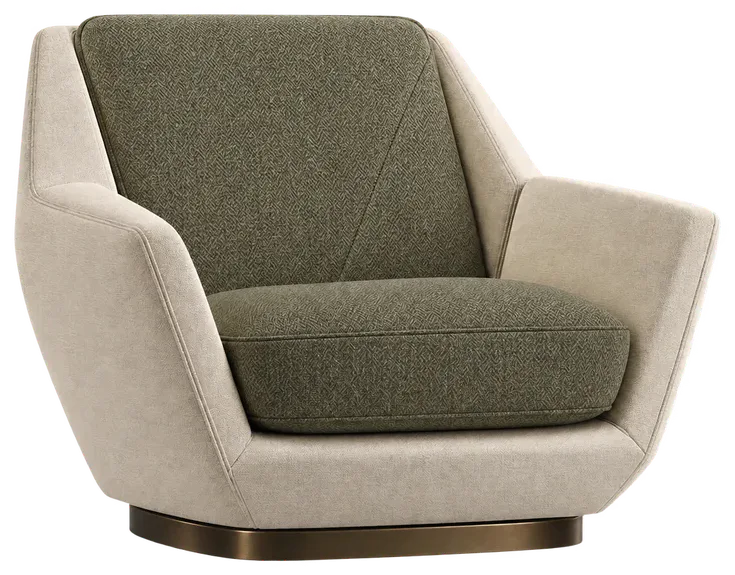

Fohlio
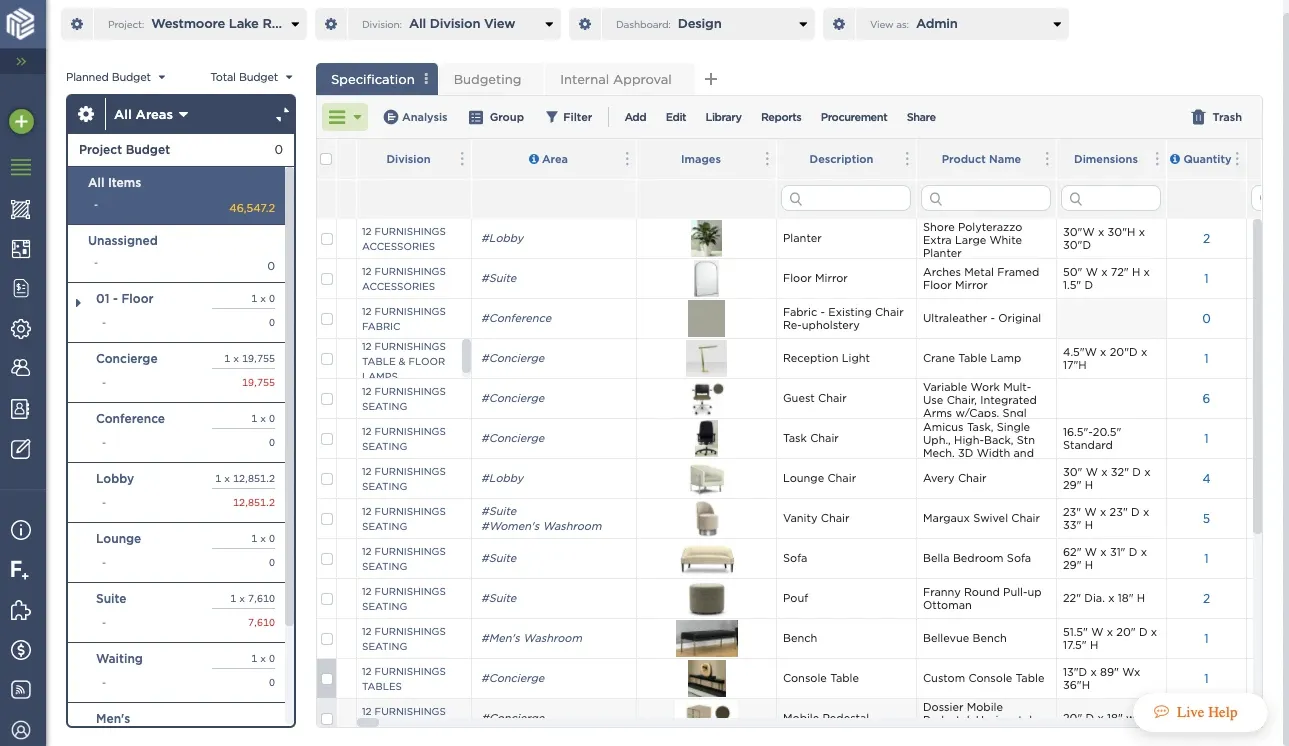
Fohlio describes itself as the specification and procurement platform for complex, multi-project design. Its site speaks to owners and operators, brands and franchises, and procurement teams, and names hospitality and retail brands among its partners.
Best for
- Hotel groups, brands, and franchises standardizing FF&E across many properties
- Procurement teams comparing supplier quotes and tracking orders across projects
- Organizations that need budgets and analytics across a portfolio
What it covers
- Product library that pulls product data from PDFs and web pages
- Spec builder, custom reports, and spec book import
- Brand standards management and estimating with project templates
- Procurement with order statuses, quote comparison, and purchase orders
- Revit sync, role-based permissions, and a public API
Pricing
- Not published; demo by request
Keep in mind
- Built around portfolio and procurement needs more than a single design team’s daily work
- Pricing requires a sales conversation
Programa
Programa describes itself as beautiful software for interior designers, covering project management and specifications for residential, commercial, and hospitality work, and says it is used by more than 6,000 studios.
Best for
- Studios that want specifications, client presentations, invoicing, and time tracking in one place
- Teams that value mood boards and visual client presentations
- Firms that use Xero or QuickBooks for invoicing and payments
What it covers
- FF&E, finish, lighting, joinery, and custom schedules
- Web Clipper and a product library
- Client dashboard with approvals and comments by line
- Purchase orders, invoicing, payments, and Xero and QuickBooks sync
- Time tracking, tasks, timelines, mood boards, and presentations
Pricing (see current pricing)
- Pro: $71 per month including one seat, plus $31 per additional seat
- 7-day free trial
Keep in mind
- Covers a wide range of studio operations, so compare its spec documents, revisions, and field structure against your own projects
- Revit, a budgets module, and an API are not listed
Studio Designer
Studio Designer describes itself as the leading business platform for the interior design industry, combining project management, product sourcing, and accounting. Studio Designer and Mydoma have joined forces.
Best for
- Firms that want accounting, procurement, and client billing in one system
- Residential practices that sell product to clients and manage inventory
- Principals who need a general ledger and financial reporting built in
What it covers
- Proposals, sourcing from vendor websites, purchase orders, and invoices
- Client portal for approvals and payments
- Time billing, inventory, full general ledger accounting, and online payments
Pricing (see current pricing)
- Essentials: $69 per user per month, billed annually
- Professional: $79 per user per month, billed annually
- Premier: $109 per user per month, billed annually
- Account setup is required
Keep in mind
- Centered on accounting and whole-business operations rather than detailed specifications
- QuickBooks users are pointed to Mydoma
Older desktop tools
Spexx and Exxpedite from Lojik Design Systems are among the oldest FF&E specification and purchasing tools. Lojik is now part of Design Manager, which has said it plans to fold both into its own software. Firms still on Spexx should plan for that change when they evaluate options.
How to choose
Narrow your list to the products that meet your must-have requirements, then test the finalists with a real project.
Questions to ask every vendor
-
Daily use
- Can we test it with one of our own projects and our own documents?
- Who on our team will maintain the specs, and how long will setup take?
-
Documents and revisions
- Can we match our spec package format, fields, and branding?
- How are revisions issued and what does a contractor see when something changes?
-
Data and support
- Can we move our existing projects in, and get our data out if we leave?
- What support is included, and where is the team located?
Red flags
- Long contracts with no way to test the product first
- Software that is no longer being actively developed
- Hidden fees for setup, add-ins, or outside collaborators
- A demo that never uses your own project
The best FF&E specification software for your firm is the one your team will keep up to date on every project. Take the time to test your finalists with real work, because switching later costs more than choosing carefully now.